Find Your Voice or Build Your Team All on Kaya Chat.
Kaya Chat brings people together through live voice rooms. Meet new people, join conversations, share gifts, and host a room of your own. Looking for an active role? Become a host or build your own team as a Kaya Chat agent.
 Click to enlarge
A Growing Online Community
Kaya Chat is a Place to Connect & Earn
Kaya Chat is a live voice party app where conversations happen in real time. Join a voice room and meet people from around the world.
You can also become a Host or Agent to take an active role in the community by hosting your own room or building a team of hosts.
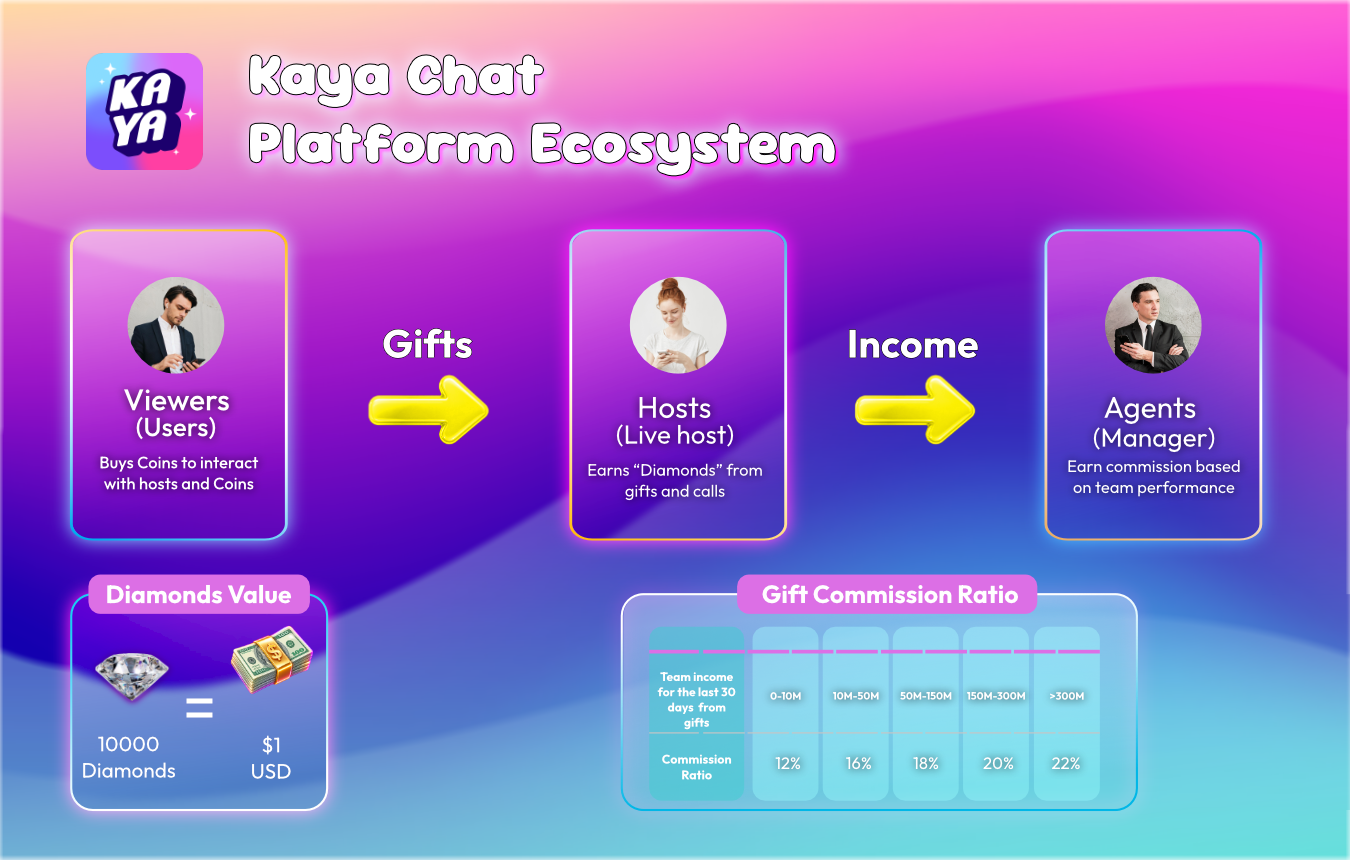 Click to enlarge
Build a Team. Support Hosts. Grow Your Agency.
A Kaya Chat agency is a team of hosts managed and supported by an agent. Below is what an agent does.
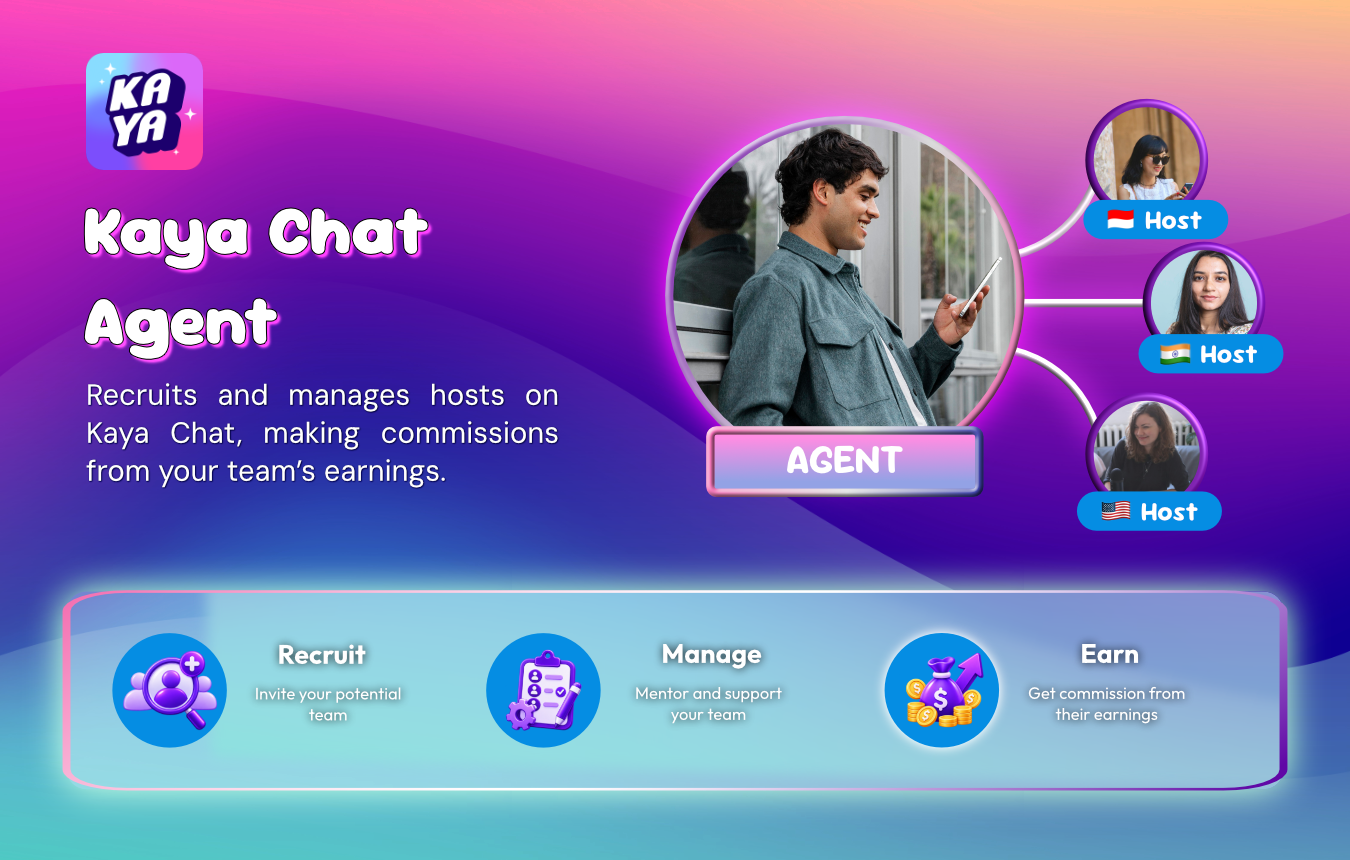 Click to enlarge
Ready to Become a Kaya Chat Agent?
Getting started is straightforward. Create your Kaya Chat account, get your Kaya ID, and complete the official agent application process.
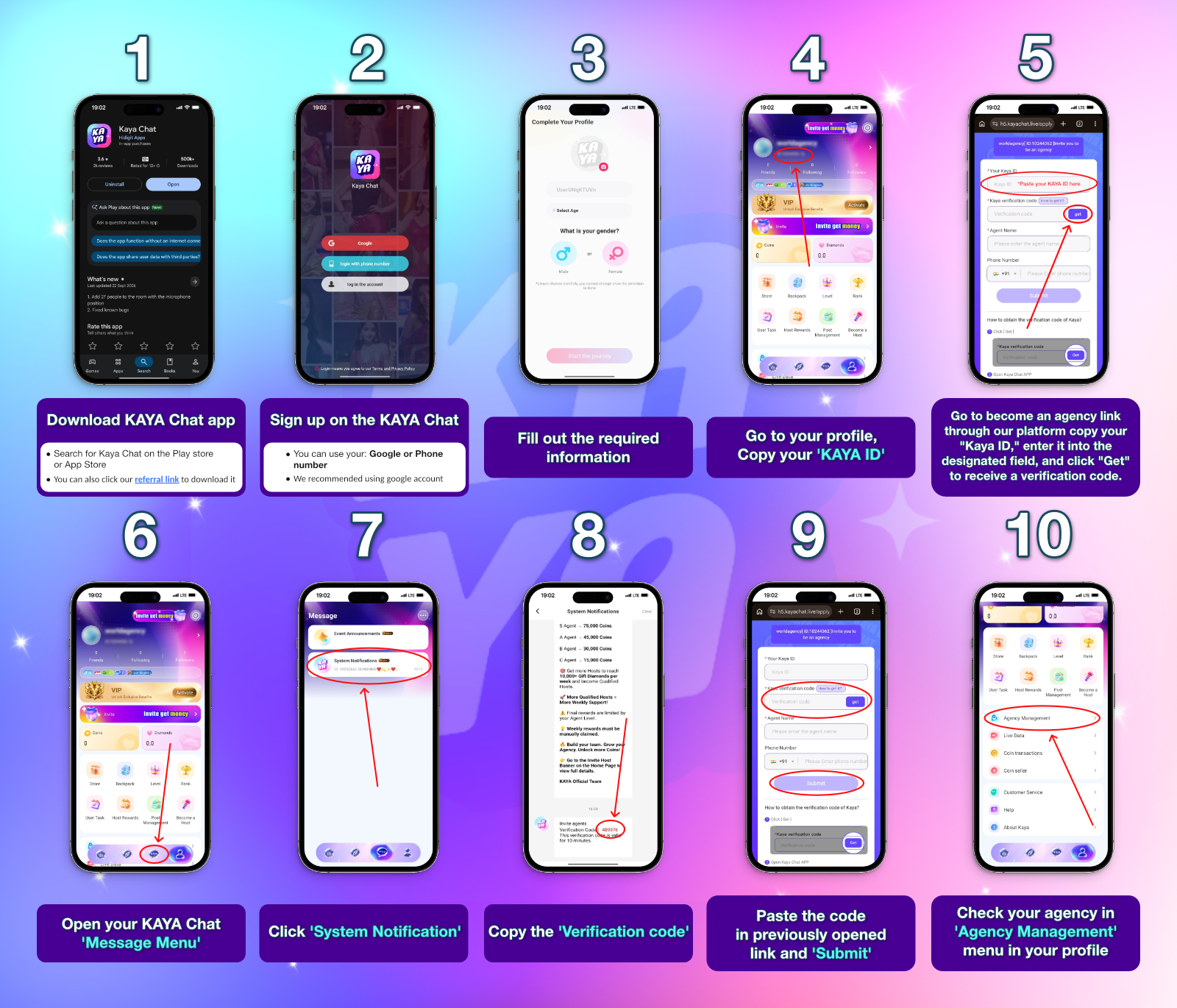 Click to enlarge
Step 1. Download Kaya Chat
Download Kaya Chat from our official download link and install it
Step 2. Create Your Account
Sign up using your Google account or phone number. Google registration is recommended.
Step 3. Complete Your Profile
Fill in the required information and make sure your account details are correct.
Step 4. Copy Your Kaya ID
Open your Profile or Me page and copy your Kaya ID. You will need it for the application.
Step 5. Open the Agent Application Page
Visit the official Kaya Chat agent application page. Enter your agency information and tap Get to request your verification code.
Step 6. Retrieve Your Verification Code
- 1. Open the message menu.
- 2. Select System Notification.
- 3. Find the verification message.
Step 7. Submit Your Application
Return to the agent application page. Paste your verification code and tap Submit.
Step 8. Check Your Agency Information
Open your Profile page and select Agency Management to view your agency information.
Kaya Chat Agent vs Host
Kaya Chat Host
Create voice rooms and facilitate engaging conversations with other participants.
Earn through chatting activity rewards, the 7-Day Income Task, virtual gifts, referral incentives, and leaderboard bonuses.
Individuals who enjoy interacting with others, joining live voice sessions
Kaya Chat Agent
Recruit, coordinate, and manage a team of hosts and sub-agents.
Generate income through agency commissions, game-related rewards, referral incentives, and agency bonuses
Individuals interested in team management, host development, recruitment
| Feature | Kaya Chat Host | Kaya Chat Agent |
|---|---|---|
| Main Role | Create voice rooms and facilitate engaging conversations with other participants. | Recruit, coordinate, and manage a team of hosts and sub-agents. |
| Income Opportunities | Earn through chatting activity rewards, the 7-Day Income Task, virtual gifts, referral incentives, and leaderboard bonuses. | Generate income through agency commissions, game-related rewards, referral incentives, and agency bonuses |
| Ideal for | Individuals who enjoy interacting with others, joining live voice sessions | Individuals interested in team management, host development, recruitment |
Kaya Chat Agent Withdraw Tutorial
Before you withdraw, check the minimum amount, review the available methods, and follow the steps in your Kaya Chat agent account
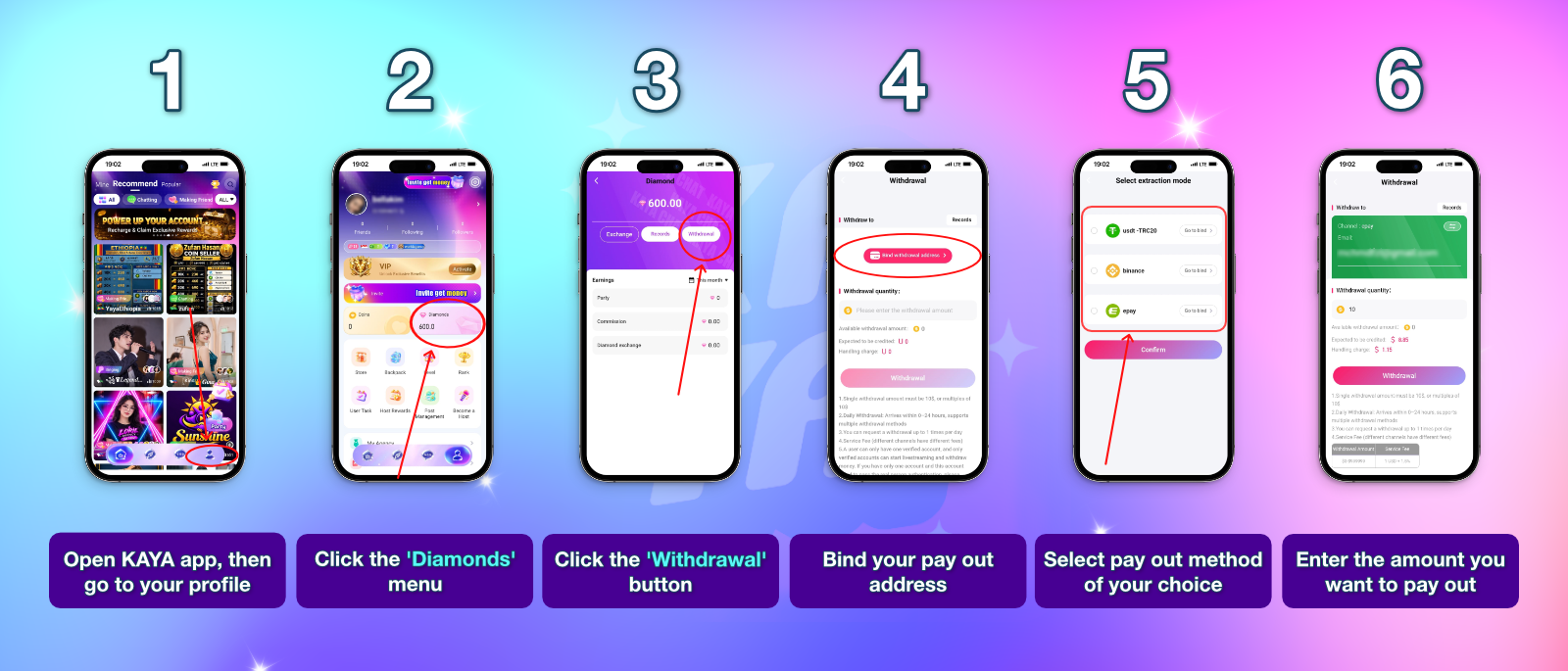 Click to enlarge
1. Open Kaya Chat and go to your Profile page.
2. Tap “Diamonds.”
3. Tap “Withdrawal.”
4. Bind your “Pay Out Address.”
5. Choose a payout method from the available options.
6. Enter the amount you want to withdraw.
7. Follow any additional prompts shown in the app to complete the request.
Frequently Asked Questions
Kaya Chat is a live voice party app that lets you join voice rooms, connect with new people, host your own room, send virtual gifts, earn coins, and move up the leaderboards.
Hosts mainly focus on participating in voice rooms and earning host-related rewards. Agents, on the other hand, recruit and support host teams, invite hosts and sub-agents, and earn eligible commissions and referral rewards.
Download Kaya Chat, create an account, and complete your profile. Then, go to Profile > “Become a Host,” finish the real-person verification, tap “Join Agency,” and enter the invitation code provided to you.
First, create a Kaya Chat account and copy your Kaya ID. Next, visit the official agent application link and request a verification code. Copy the code from System Notification, enter it on the application page, and then check “Agency Management” in your profile.
Ready to Join Kaya Chat Agency?
Take the next step toward building a host team as an agent. Download Kaya Chat, set up your account right now.